Table of Contents
- User Guide
- Getting Started
- General Concepts
- Getting Help
- Requesting a Feature
- Frequently Asked Questions
- Videos for Learning TroopTrack
- Plan
- Planning an Event
- Tracking Attendance
- Attendance Reports
- Hours, Miles, and Nights
- Agenda View
- Year at a Glance
- RSVP'ing for an Event
- Import your unit's calendar to Google Calendar
- Importing Your Unit Calendar into the Mac OS Calendar App
- Event Integrated Accounting
- Manage
- Registering Members
- Controlling Access and Privileges
- Organizing Family Members
- Creating Patrols/Dens
- Managing Equipment
- Managing a Library
- Canned Reports
- Creating Custom Reports
- Unit Settings
- Money Account Basics
- User Accounts
- Managing Training
- How do I reset a user's password?
- Fundraisers
- Accept Payments Through TroopTrack
- Communicate
- Achieve
- Bulk Entry of Award Progress
- Individual Entry
- Creating a Custom Award
- Planning for a Meeting or Court of Honor
- Share
- Sharing Photos
- Creating a Web Site (Public and Private)
- Sharing Links
- Sharing Documents
- Automatic Monthly Newsletter
- Frequently Asked Questions
Year at a Glance
How to Get There
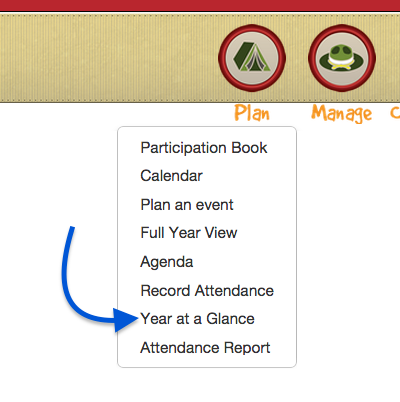
Using the Plan Badge, select Year at a glance in the drop down menu box.
How it Works
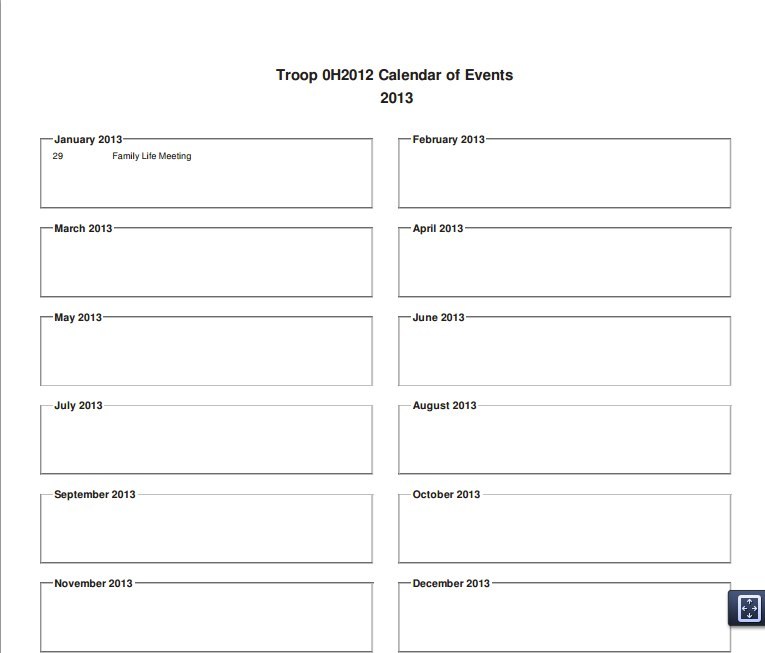
This feature is designed to make an easy, printable option to show the overview of events planned. Simply choose the option as shown above to see every event that has been planned for the year (see below). To add something to this report, go back to Plan an Event and follow those prompts.
Easy!